Brella OS
The Last Look Before Market
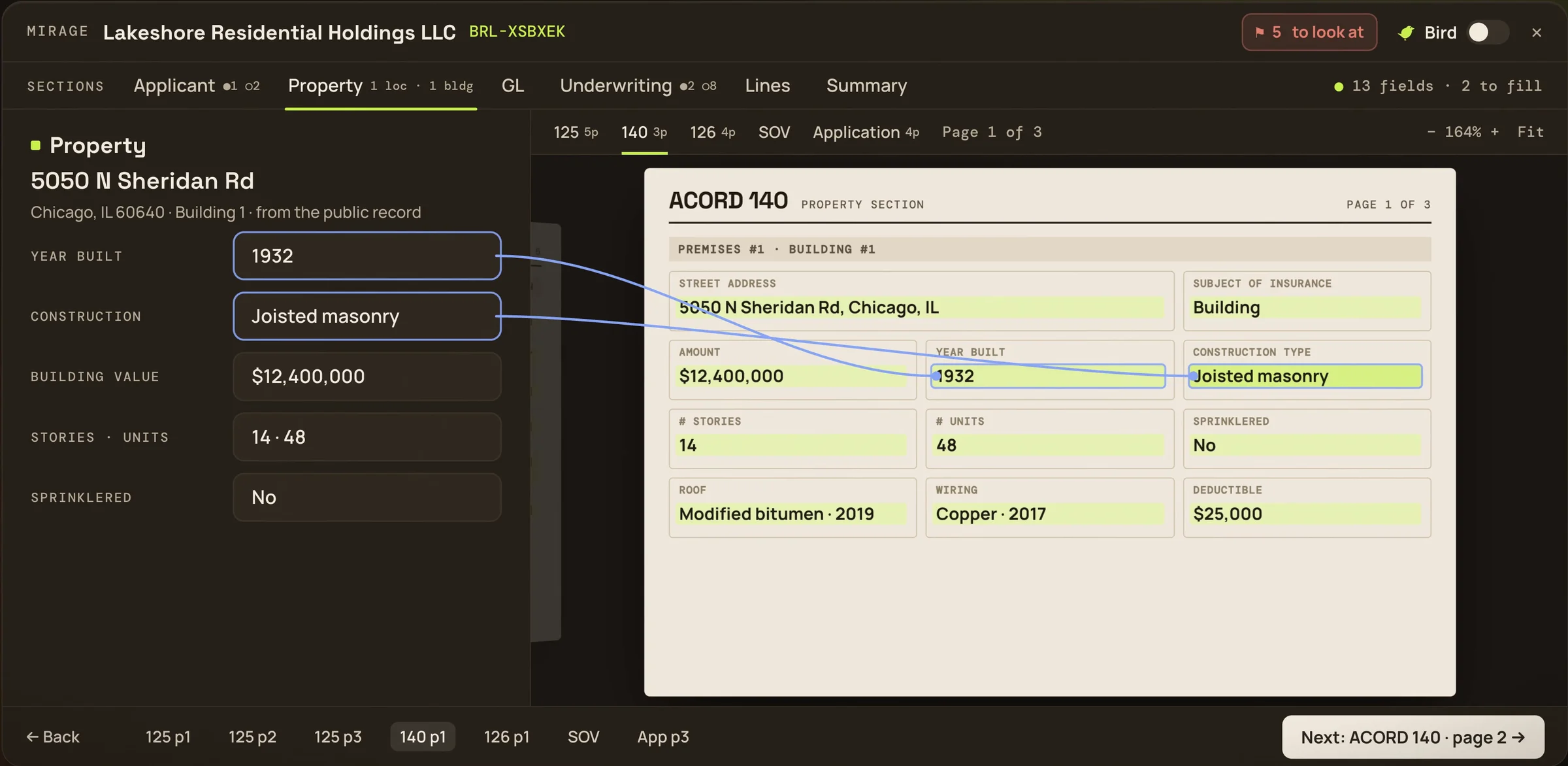
Mirage walks every form you’re sending, page by page, with the policy’s own fields beside each page. Type on the left and the form follows. Nothing is filed until you finish.
Bird reads along
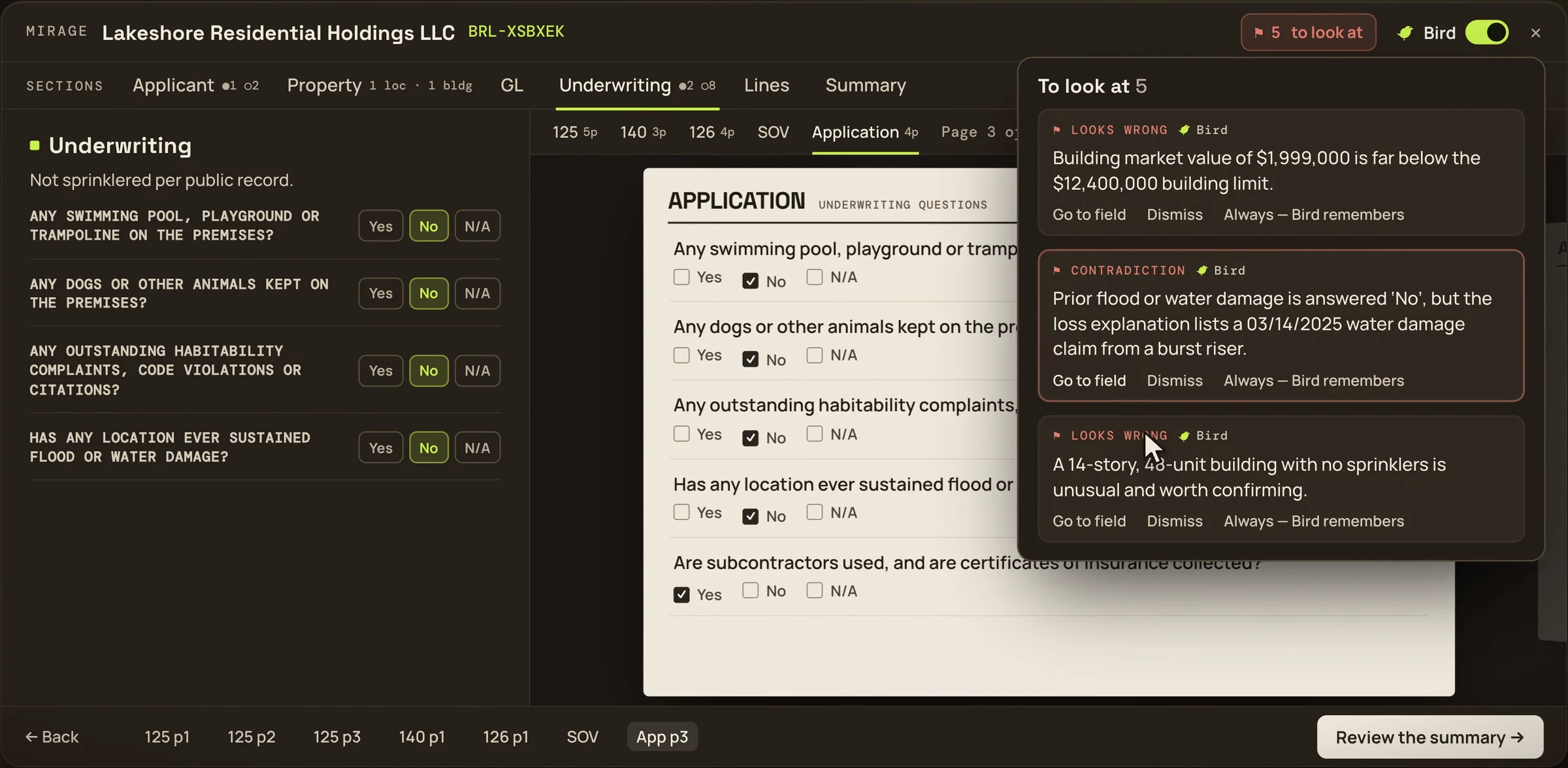
While the forms are drawn, Bird flags what deserves a second look. Go to the field or dismiss it. Owners and Managers can tell Bird a value is right for the agency, and it stops raising it.
- A market value far below the building limit
- A flood answer that contradicts the loss history
- A 14-story building with no sprinklers, worth confirming
A run, start to finish
Open Review in the policy’s header and choose Mirage. It reads the forms from the saved policy.
- Every form is drawn fresh and ticked off as it lands: “ACORD 125 · 4 pages”
- Untick a form and it stays home; the 125 you file is the 125 you previewed
- Walk it section by section, then file the forms and move the lead to Quoted
Built for schedules of 120 locations and 400 buildings.